
Toyota Camry (XV70): Rocker Panel Moulding
Components
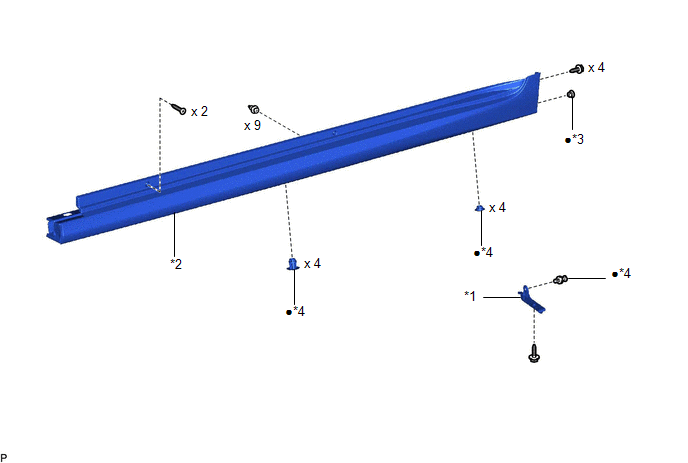
COMPONENTS
ILLUSTRATION
|
*1 | FRONT ROCKER PANEL MOULDING END COVER |
*2 | ROCKER PANEL MOULDING |
|
*3 | GROMMET |
*4 | CLIP |
|
● | Non-reusable part |
- | - |
Removal
REMOVAL
CAUTION / NOTICE / HINT
HINT:
- Use the same procedure for the RH side and LH side.
- The following procedure is for the LH side.
PROCEDURE
1. REMOVE FRONT ROCKER PANEL MOULDING END COVER
Click here .gif)
2. REMOVE ROCKER PANEL MOULDING
(a) Apply protective tape around the rocker panel moulding and doors as shown in the illustration.
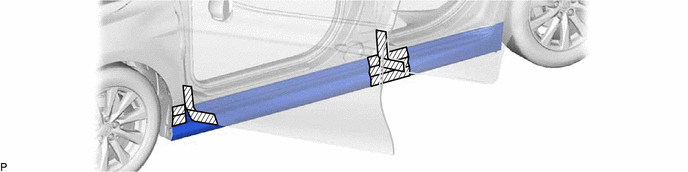
.png) |
Protective Tape | - |
- |
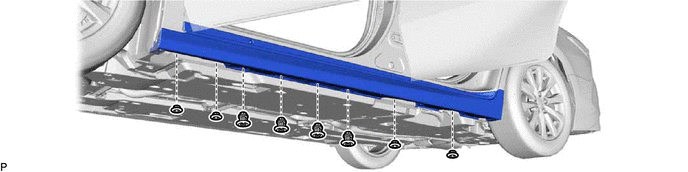
(b) Remove the 8 clips.
(c) Remove the 6 screws.
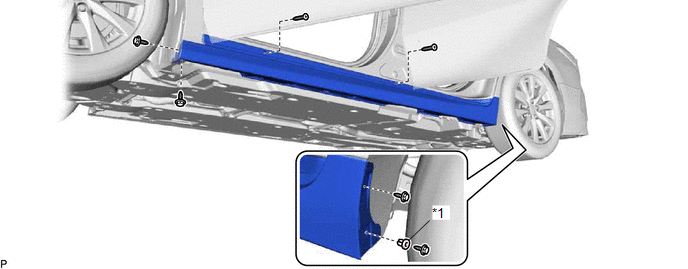
|
*1 | Grommet |
- | - |
(d) Remove the grommet
(e) Disengage the 9 clips to remove the rocker panel moulding as shown in the illustration.
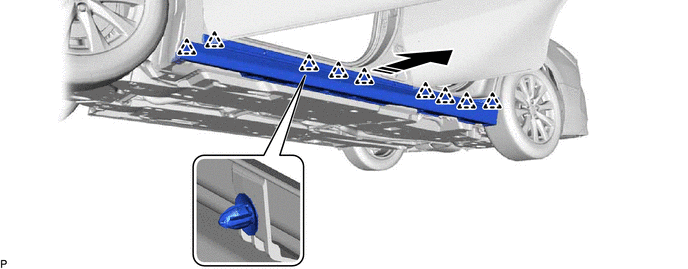
.png) |
Remove in this Direction |
- | - |
Installation
INSTALLATION
CAUTION / NOTICE / HINT
HINT:
- Use the same procedure for the RH side and LH side.
- The following procedure is for the LH side.
PROCEDURE
1. INSTALL ROCKER PANEL MOULDING
(a) Engage the 9 clips as shown in the illustration.
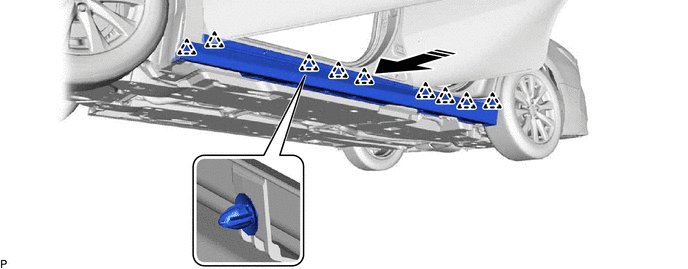
.png) |
Install in this Direction |
- | - |
(b) Install a new grommet.
(c) Install the 6 screws.
(d) Install the rocker panel moulding with 8 new clips.
2. INSTALL FRONT ROCKER PANEL MOULDING END COVER
Click here
.gif)
READ NEXT:
 Roof Drip Side Finish Moulding
ComponentsCOMPONENTS ILLUSTRATION
*1 ROOF DRIP SIDE FINISH MOULDING
*2 ROOF DRIP SIDE FINISH MOULDING CLIP
● Non-reusable part
- - RemovalREMOVAL C
Components
COMPONENTS ILLUSTRATION
*1 FRONT FENDER TO COWL SIDE SEAL
*2 NO. 1 WINDSHIELD OUTSIDE MOULDING CLIP
*3 NO. 3 WINDSHIELD OUTSIDE MOULDING CLIP
*4 WINDSHIELD
SEE MORE:
Diagnosis System
DIAGNOSIS SYSTEM DESCRIPTION (a) When troubleshooting On-Board Diagnostic (OBD II) vehicles, an OBD II scan tool (complying with SAE J1978) must be connected to the vehicle. Various data output from the vehicle ECM can then be read.
(b) OBD II regulations require that the vehicle on-board computer
Disassembly
DISASSEMBLY CAUTION / NOTICE / HINT
The necessary procedures (adjustment, calibration, initialization, or registration) that must be performed after parts are removed and installed, or replaced during front door removal/installation are shown below. Necessary Procedure After Parts Removed/Installe
